Keyly: A Fast and Convenient Link Navigation Tool
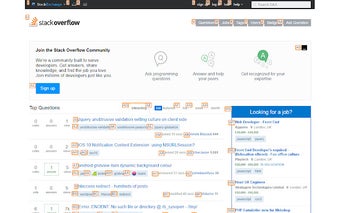
Keyly is a Chrome add-on developed by gburgess that enhances your browsing experience by allowing you to open links quickly using keypresses. With Keyly, you no longer have to tab through multiple links to find the one you want - simply press a key and the link will open instantly.
One of the key features of Keyly is its ability to operate links without having to tab through them. This saves you time and effort, especially when dealing with websites that have numerous links on a page. Keyly also provides a convenient toggle function, allowing you to turn it on and off with just a press of the Tilde (`) key.
As this is the first release of Keyly, the developer, gburgess, welcomes feedback and feature requests. They are committed to improving the add-on and have plans to add more configuration options and a shortcut for opening links in new tabs. Keyly is based on the design of the Keyboard Navigation extension, but with improvements to compatibility and usability on popular sites like GMail and Google Search.
Overall, Keyly is a valuable tool for anyone who wants to navigate links quickly and efficiently. Give it a try and experience a faster browsing experience with Keyly.